

 By
By Best Hardware Wallet for DeFi: Contract Signing Compared
The DeFi Hardware Wallet Job Is Different
Hardware wallets get reviewed like they are all solving the same problem. Keep keys offline. Protect the seed phrase. Generate addresses. That works if you are storing Bitcoin and checking it twice a year.
The job changes completely when you are approving Uniswap LP deposits, signing Aave collateral transactions, or authorizing token approvals on Arbitrum twice a week. The wallet still keeps your key offline, but now it also has to show you what you are actually signing before you confirm it.
This is where most devices fail.
Crypto phishing scams targeting digital signatures stole $6.27 million from 4,741 victims in Q1 2026, a 207% increase over Q4 2025. The common thread: users signing transactions they could not read. A hardware wallet can keep the key offline and still ask the user to approve an unreadable transaction. The signing environment is secure, but the decision-making process can remain blind.
If you disable blind signing, your hardware wallet will reject most DeFi transactions. This is why almost every DeFi user leaves it enabled, and why blind signing remains the primary attack vector for hardware wallet users.
The hardware wallet comparison for DeFi is not about price or how many coins it supports. It is about whether the screen shows you the contract function, the token being approved, the amount, and the recipient address before you press confirm.
Clear Signing vs. Blind Signing: The Only Comparison That Matters
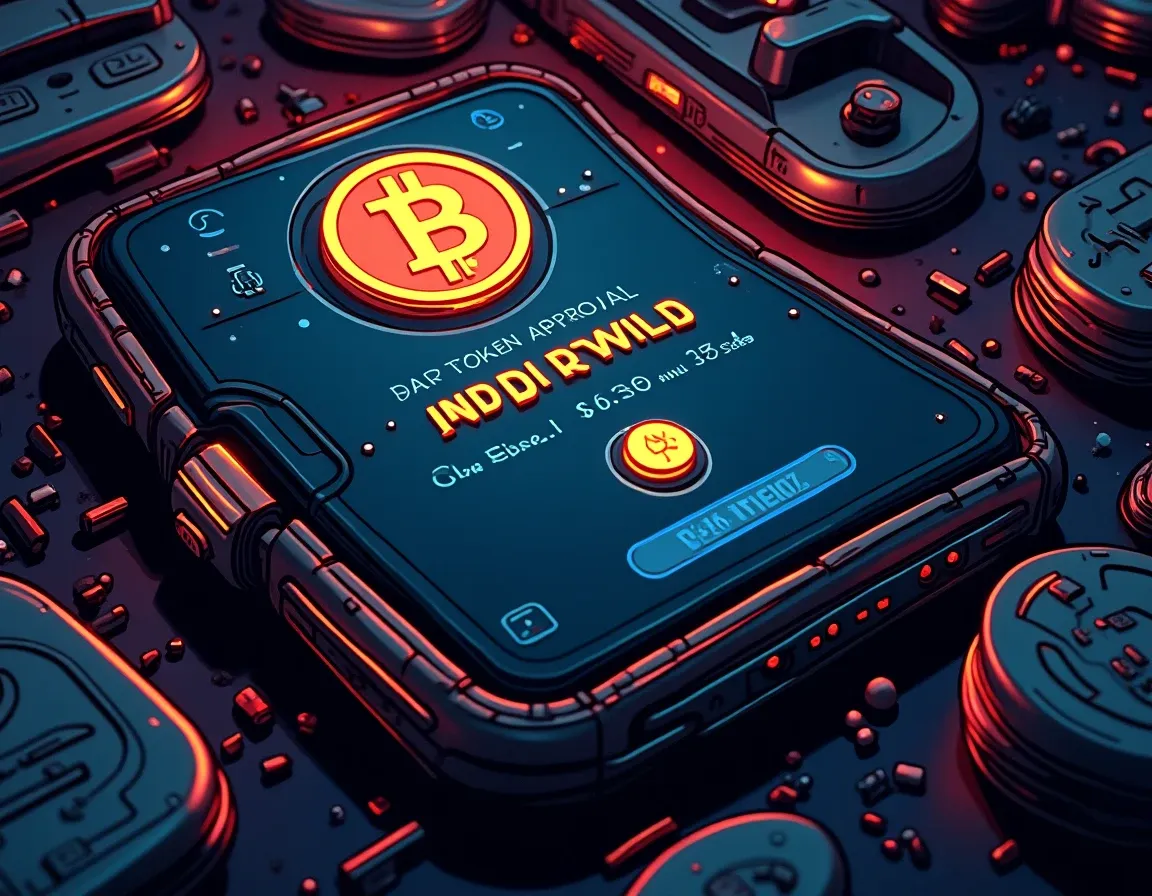
On May 12, 2026 the Ethereum Foundation highlighted “clear signing” as a wallet safety standard to turn raw transaction data into human-readable prompts, aiming to reduce blind signing and approval mistakes across DeFi.
The technical foundation for this feature is EIP-7730, which defines a metadata format that wallets and dapps can use to translate raw transaction data into structured, readable information.
When a transaction request reaches your device, run through this checklist before confirming:
- Is the interaction decoded? You should see discrete fields: contract address, function name, argument names and values.
- If you see a hash, hex, or a generic “Data Present” or “Unknown contract” label, you are in blind-signing territory.
- Can you read the approval amount? If the wallet shows “infinite” or “unlimited,” you are signing away permanent access to that token.
- Is the recipient address shown in full? Truncated addresses can hide malicious contracts.
Trezor announced Clear Signing as their 2026 flagship feature. It works with supported smart contracts in the ERC-7730 registry. If a contract is not supported yet, your Trezor will fall back to the standard blind-signing warning. Built on an open-source stack, Clear Signing works across supported Ethereum and EVM-compatible networks through Trezor Suite, WalletConnect, and Trezor Connect, with no additional software or settings required.
Ledger has supported Clear Signing through its app ecosystem for longer, but coverage depends on which dapp you are using and whether the developer has integrated Ledger’s transaction decoder.
Where a contract is not yet covered by the registry, the wallet falls back to the conventional blind-signing warning. This means the usefulness of the system will ultimately depend on how quickly protocols add their contracts to the standard.
The next milestone is standardizing amount-limited approvals, a feature still absent from most DeFi interfaces. Anyone signing an “unlimited approve” in 2026 still does so at their own risk, even with Clear Signing active.
Screen Size Matters More Than You Think
The term blind signing comes from hardware wallet UX: devices like Ledger Nano S and Trezor Model One have tiny OLED screens (128×32 or 128×64 pixels). They can display simple transfer data but they cannot decode complex smart contract calls.
Touch-screen models solve this.
Trezor Model T ($169) has a 240×240 color touchscreen. Ledger Flex ($249) and Ledger Stax ($399) offer larger displays that can show multi-line transaction breakdowns, decoded function calls, and token approval details without truncation.
If you are using a hardware wallet for DeFi, screen size is not a luxury feature. It is the difference between reading what you are signing and guessing.
Chain Support: EVM Is Table Stakes, L2 Coverage Is the Real Test
Most DeFi activity in 2026 happens on Ethereum Layer 2 networks including Base, Arbitrum, Optimism, Polygon, Linea, Scroll, zkSync and Zora. According to L2Beat, Arbitrum consistently tops the chart in TVL (Total Value Locked), making it a go-to platform for DeFi users and builders.
Arbitrum has become the dominant Ethereum Layer 2 by total value locked, home to major DeFi protocols including GMX, Uniswap v3, and Camelot. If your hardware wallet does not support Arbitrum natively, you cannot sign transactions on the chain where the yield actually is.
Ledger supports all major Ethereum L2s through Ledger Live and WalletConnect. Trezor supports Ethereum Layer 2 networks through Trezor Suite, WalletConnect, and Trezor Connect. Both handle the EVM-compatible chains that matter for DeFi.
BitBox02 has a minimalist design, a secure-chip architecture, microSD backup, and open-source code. It supports Ethereum and EVM chains but requires third-party wallet integration for L2s.
Coldcard Q pairs two independent secure chips with a physical keyboard, microSD backup support, and full air-gapping. It is built for Bitcoin. It does not support Ethereum or any EVM chain. If your DeFi activity touches anything other than Bitcoin-native protocols, Coldcard is the wrong tool.
The general-purpose hardware wallet comparison ranks devices on security and coin count. For DeFi, the question is simpler: does it support the chains where your positions actually sit?
Hardware wallets do not interact with DeFi protocols directly. You connect them to a software wallet that serves as the interface layer. The software wallet talks to the dapp. The hardware wallet signs the transaction. The dapp never sees your key.
The recommended approach is to pair MetaMask with a Ledger or Trezor signer: MetaMask handles the interface, while the signer stores your keys and executes transaction signing securely offline.
MetaMask is the most widely supported wallet for DeFi. Every major protocol integrates with it. But MetaMask does not decode transactions well. It shows raw hex data for most contract interactions. You are still blind signing, even with a hardware wallet connected.
Rabby Wallet is built specifically for advanced DeFi usage and frequent smart contract interactions. Unlike general-purpose wallets, it focuses on helping users understand exactly what they are signing by simulating transactions, decoding contract calls, and displaying clear warnings for risky approvals.
Rabby Wallet’s main blockchains are Ethereum and EVM-compatible chains with hardware wallet compatibility including Ledger, Trezor, Keystone, and BitBox. Rabby works with hardware wallets, which makes it safer for users who want offline signing with a more DeFi-native interface.
If you are using a hardware wallet for DeFi, the software wallet you pair it with matters as much as the device itself.
Device Comparison: Ledger vs. Trezor for Active DeFi
Trezor offers three models: Trezor One ($59), Trezor Safe 3 ($79), and Trezor Model T ($169). Ledger offers four models: the Ledger Nano S Plus ($79), Ledger Nano X ($149), Ledger Flex ($249), and Ledger Stax ($399).
Finder reports Ledger support at about 5,500+ coins and tokens versus Trezor at roughly 1,000+. Trezor supports more than 9,000 assets through third-party integrations. However, Trezor wallets extend native support to only 1,000+ coins through Trezor Suite.
Ledger is the stronger choice if you hold many altcoins, want a richer mobile experience, use NFTs or DeFi, or prefer a wallet app that combines buying, swapping, staking and portfolio management in one place.
Trezor is the cleaner pick if you value open-source transparency, a simpler cold storage setup, Shamir or Multi-share backup, and fewer app-led distractions.
For active multi-chain DeFi, Ledger is usually the better tool. Trezor is still a good choice for traders whose activity stays inside well-supported lanes and who value openness more than ecosystem breadth.
Security Incidents: 2026 Was a Bad Year for Both
Coinkite’s own security advisory confirmed that seeds generated on affected Coldcard firmware carried about 72 bits of entropy instead of the expected 128, weak enough that a well-resourced attacker could eventually guess them.
Days later, Trezor disclosed that a shipping partner had exposed the full names and home addresses of thousands of customers who had ordered a device.
No hardware wallet is immune to operational failures. The device protects your key. It does not protect your identity, your address, or your judgment when you sign a transaction you cannot read.
Portfolio Size and Device Tier
Hardware wallets are still the gold standard for crypto security, with pricing generally ranging from about $50 to $400 per device. The same 2026 guide recommends matching wallet tier to portfolio size, with entry-level devices for holdings under $10,000, mid-range touch-screen devices for $10,000 to $50,000, and multi-device or premium air-gapped setups above $50,000.
If your DeFi positions are worth less than $5,000, a $59 Trezor One or $79 Ledger Nano S Plus is sufficient. The screen is small, but you can still verify transaction details if you take the time to scroll.
If your positions are worth $10,000 to $50,000, buy a touch-screen model. Trezor Model T ($169), Ledger Nano X ($149), or Ledger Flex ($249) all offer larger displays that make contract interaction readable.
Above $50,000, consider using two devices. One for cold storage, one for active DeFi. The cold storage device never connects to a dapp. The DeFi device holds only the assets you are actively deploying.
Most people do this backward. They buy the most expensive wallet and then connect it to every protocol they touch. That is not more secure. It is just more expensive.
The Recommendation
If you are choosing one hardware wallet for DeFi in 2026, buy a Ledger Flex or Ledger Nano X. Pair it with Rabby Wallet. Enable Clear Signing in Rabby’s settings. Verify every contract interaction on the device screen before you confirm.
Ledger has better DeFi ecosystem support, broader L2 coverage, and cleaner integration with the wallets that actually decode transactions well. Trezor has better open-source transparency and a simpler interface, but the DeFi tooling lags.
If you value open-source above everything else and your DeFi activity stays on Ethereum mainnet or a handful of well-supported L2s, Trezor Model T is a defensible choice. For everything else, Ledger is the better tool.
Do not buy a Coldcard for DeFi. It does not support Ethereum or EVM chains. Do not buy a Trezor One or Ledger Nano S Plus for DeFi. The screen is too small to read contract interactions safely.
The minimum acceptable setup for DeFi in 2026 is a touch-screen hardware wallet, paired with a software wallet that decodes transactions, on a device where you verify every approval before you sign.
Anything less than that, and you are trusting a screen that shows hex instead of English. That is not security. That is just blind signing with extra steps.
What to Watch On-Chain
Track approval transactions from your own wallet. Every time you sign a token approval, record the contract address, the token, and the amount approved. Use Etherscan or Arbiscan to review your active approvals quarterly.
Revoke unlimited approvals you are not actively using. Tools like Revoke.cash show every token approval you have signed, sorted by risk. If you approved unlimited USDC to a Uniswap router six months ago and you have not used it since, revoke it.
Watch for approval transactions you did not initiate. If your wallet signs an approval and you did not request it, your device is compromised or you clicked a malicious dapp. Revoke the approval immediately and move your assets to a fresh wallet.
The blockchain shows you what your wallet actually approved, not what you think you approved. Most people never check. That is why approval exploits still work in 2026, even with Clear Signing and hardware wallets properly configured.
The Takeaway
If the hardware wallet screen does not show the contract name, function, token, amount, and recipient address before you confirm, you are blind signing. It does not matter if the device cost $400. It does not matter if the keys are offline. You are still approving transactions you cannot read, and that is where DeFi positions are lost.
Buy the wallet with the screen large enough to read contract interactions. Pair it with the software wallet that decodes those interactions into plain language. Verify every approval before you sign. Revoke old approvals quarterly. That is the protocol. Everything else is just marketing.
Frequently Asked Questions
What is clear signing and why does it matter for DeFi?
Clear signing decodes raw transaction data into human-readable prompts showing the contract name, function, token, amount, and recipient before you approve. Without it, you are blind signing: approving transactions you cannot read. Crypto phishing targeting digital signatures stole $6.27 million in Q1 2026, almost all through blind-signed approvals. Clear signing is the difference between reading what you approve and guessing.
Which hardware wallet has the best DeFi support in 2026?
Ledger Flex and Ledger Nano X offer the best DeFi support in 2026. They have large touchscreens that display decoded contract interactions, support all major Ethereum L2 networks including Arbitrum and Base, and integrate cleanly with Rabby Wallet and MetaMask. Trezor Model T is a strong alternative if you prioritize open-source code, but Ledger has broader DeFi ecosystem coverage and better L2 support.
Can I use a Trezor One or Ledger Nano S Plus for DeFi?
You can, but you should not. Both devices have tiny OLED screens (128×32 or 128×64 pixels) that cannot display decoded smart contract calls legibly. You will be blind signing most DeFi transactions because the screen is too small to show the contract function, token, amount, and recipient. For DeFi, buy a touch-screen model like Trezor Model T, Ledger Nano X, or Ledger Flex.
Do I need a different hardware wallet for cold storage vs. active DeFi?
If your portfolio is above $50,000, yes. Use one device for cold storage that never connects to a dapp, and a second device for active DeFi holding only the assets you are deploying. This limits exposure if you accidentally sign a malicious approval. Below $50,000, one touch-screen hardware wallet is sufficient if you verify every transaction on the device screen before confirming.
What software wallet should I pair with my hardware wallet for DeFi?
Pair your hardware wallet with Rabby Wallet if you use DeFi frequently. Rabby simulates transactions, decodes contract calls, and displays warnings for risky approvals before you sign. MetaMask is more widely supported but shows raw hex data for most contract interactions, leaving you blind signing even with a hardware wallet connected. For advanced DeFi use, Rabby is the better interface layer.
Tool mentioned above
Ledger
Ledger devices display the full transaction on their own screen before you approve it, which is what stops an approval exploit at the point it matters.
We may earn a commission if you sign up through this link, at no cost to you. It does not change what gets recommended.
The Weekly Yield Report
You just compared five hardware wallets on clear signing, screen size, and L2 support. Those features and prices will change as EIP-7730 adoption expands across more protocols.
Every Thursday: where crypto yield actually is – stablecoins, liquid staking and DeFi lending, with the risk named next to the rate and what changed since last week.
Free. No trade calls, no allocations, no hype. Unsubscribe in one
click.