


 By
By Track DeFi Positions Multiple Chains: Where Trackers Fail
What You Will Accomplish
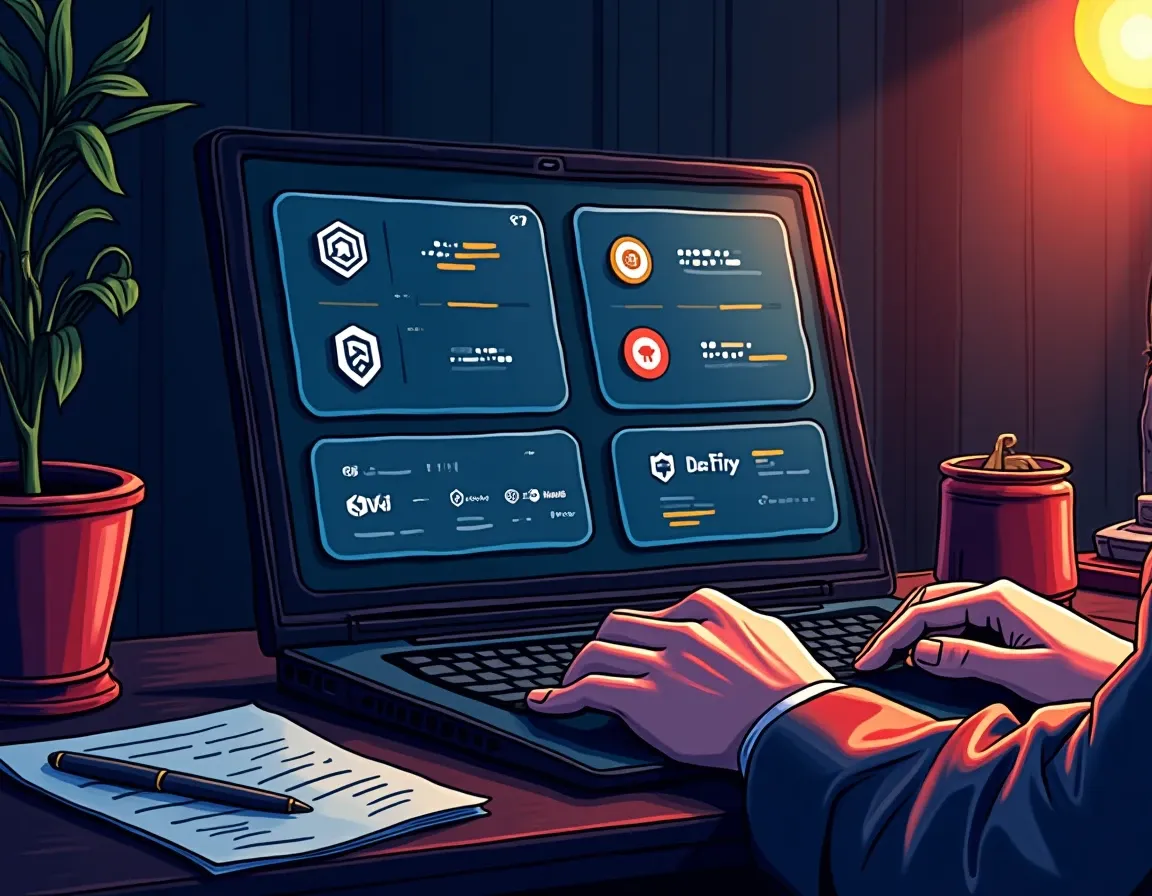
You will set up position tracking that actually works across chains and protocols. Not tracking that shows a number and calls it a day. Tracking that surfaces what your LP position is earning, whether your concentrated liquidity is in range, and when your lock expires.
You need to know what you hold before you can make decisions about it. That sounds obvious. It’s harder than it sounds past three chains and five protocols.
Here’s what this guide covers: which free trackers to use for which chains, what they miss by default, and what you will still track manually because nothing reads it correctly. The positions worth the most are the ones trackers get wrong. Concentrated liquidity positions, rebasing tokens, locked governance tokens – those are where the alpha lives, and those are where the tools break.
Prerequisites: You need at least one active DeFi position and the wallet address that holds it. You need to know which chain it’s on. If you’re not sure, you’re not ready for this yet.
Which Tracker For Which Chains

Portals Explorer is the fastest way to see positions across 20+ chains with no sign-up. You enter a wallet address. It shows Ethereum, Arbitrum, Base, Optimism, Polygon, BNB Chain, Solana, Avalanche, and a dozen others in one view. It’s free. It doesn’t ask for an email. The protocol coverage is narrower than the older tools, but it handles the majors.
DeBank covers more protocols than anything else. It reads 120+ protocols and catches obscure positions on long-tail chains. It’s slower to load and the interface is cluttered, but if a tracker is going to find your Radiant position on Arbitrum or your Stargate LP on Polygon, DeBank will.
Zerion supports 40+ EVM blockchains and emphasizes real-time updates. It tracks LP positions, staked tokens, and rewards with better granularity than Portals. The free tier works. The premium tier adds transaction history and tax exports. For casual users who want speed, Zerion is the default.
Nansen Portfolio supports 100+ blockchains including Solana, Cosmos, and several niche ecosystems. It adds whale wallet tracking and smart money insights. The data accuracy is institutional-grade. The pricing is institutional-grade too. If you’re managing six figures across chains, Nansen is worth it. If you’re managing four figures, it’s not.
Zapper is shutting down. On July 8, 2026, co-founder Seb Audet announced the wind-down. The site, apps, and APIs go offline August 3, 2026. If you’re still using Zapper, move your tracking elsewhere before that date.
Many active DeFi users run two or three trackers simultaneously. Each one has strengths the others don’t. There’s no rule against having multiple tools open at once.
Cross-Chain Token Matching
Wrapped tokens on different chains have separate contract addresses. wETH on Arbitrum is not the same contract as wETH on Optimism. Most trackers conflate them into a single “wETH” balance, which is useless if you’re trying to figure out where your liquidity actually sits.
Look at this: you have 0.8 wETH total. The tracker shows that number. You try to withdraw. The transaction fails because 0.5 wETH is on Arbitrum and 0.3 wETH is on Base, and the dApp you’re using is on Optimism where you hold zero. The tracker didn’t lie – it just aggregated the balance without telling you where it lives.
Check that your tracker breaks down balances by chain, not just by token symbol. If it doesn’t, you will need to verify positions on each chain’s block explorer manually.
Position Types That Break Trackers
The positions worth tracking are often the ones trackers can’t read correctly.
Concentrated Liquidity LP Positions
A Uniswap V3 or Orca concentrated liquidity position is non-fungible. It has a price range, an in-range status, uncollected fees, and impermanent loss exposure that shifts with every price move. A basic tracker shows you hold “UNI-V3-POS.” A good tracker shows you have a position providing liquidity on the ETH/USDC pair between $2,800 and $3,200, with $4,500 in uncollected fees, currently in range.
Most trackers show the first version. Almost none show the second.
Concentrated liquidity positions on Meteora or Raydium have a fee APY that changes with trading volume. Whether that position is earning fees depends on whether the price is inside your range. Trackers generally don’t surface that status. They show a balance. They don’t show whether that balance is doing anything.
What to track manually: price range, in-range status, uncollected fee balance, impermanent loss relative to your entry. You can find this on the protocol’s own interface. Most protocols let you view your positions by wallet address without connecting. Bookmark those pages.
Rebasing Tokens
Staking ETH via Lido gives you stETH. The balance increases daily to reflect accrued staking rewards. Each rebase is technically a new taxable receipt. A tracker that shows your stETH balance without separating earned yield from principal is missing half the picture.
The same applies to rETH, cbETH, and most liquid staking tokens. The token balance grows. That growth is income. Trackers show the total. They don’t show the split.
What to track manually: entry balance, entry date, current balance. The difference is your yield to date. You need this for taxes and for evaluating whether the position is doing what you expected. A spreadsheet with three columns handles this.
Locked and Vesting Positions
Curve’s veCRV, Aura’s vlAURA, and time-locked vesting schedules all show up as token balances in trackers. The tracker sees you hold 1,000 veCRV. What it doesn’t see is that those tokens are locked for two more years and carry a 2.3x boost on your Curve gauge rewards.
The nominal balance is not the economic exposure. A locked position is worth more than an unlocked one because of the multiplier. A vesting position is worth less than a liquid one because you can’t exit.
What to track manually: lock expiry date, multiplier or boost status, vesting schedule if applicable. Most governance token dashboards show this when you connect your wallet. Screenshot the vesting schedule. Add the expiry date to a calendar.
Multi-Leg LP Transactions
A single LP deposit involves sending two tokens to the pool, receiving an LP position (which is non-fungible in V3), potentially triggering fee accrual on an existing position, and creating a new cost basis for the LP token. On-chain, this appears as multiple token transfers in a single transaction.
Classification requires understanding the protocol-specific contract logic. Trackers often show this as multiple separate events rather than one economic action. Your cost basis calculation breaks if you treat each leg as independent.
What to track manually: the transaction hash for the full deposit, the amount of each token sent, the LP token or NFT position ID received, the timestamp for cost basis. Store this in a spreadsheet or a tax tool that understands multi-leg transactions.
What Trackers Show Versus What You Need
Trackers show current value. They don’t show entry price. You can see that your portfolio is worth $14,300 today. You can’t see that it was worth $12,800 when you deployed it six weeks ago, which means you can’t calculate realized or unrealized gain without a separate record.
Different tools calculate LP position values differently. Some use the current token balances. Some estimate the value assuming you withdrew today and paid exit fees. Some ignore uncollected fees entirely. The variance is usually 1-3%, which is noise for a $1,000 position and meaningful for a $50,000 one.
Accuracy is generally high for simple balances. It degrades with indexer latency, token metadata quality, and complex DeFi positions. A tracker might show your balance as of five minutes ago or five hours ago depending on how often it syncs that chain.
Yield tracking is weak across the board. Lending positions, LP ranges, and perpetual positions are shown with less detail than on-chain-first trackers. Price alerts work. Position alerts don’t. A tracker can tell you a token pumped. It won’t tell you your loan is approaching liquidation or that your yield turned negative.
What Still Requires Manual Tracking
Entry prices and cost basis. Store the date, the token, the amount, the price in USD or stablecoin terms. If you deposited LP, store both legs.
Impermanent loss reconciliation. The tracker shows your LP value today. It doesn’t show what you would have if you’d held the tokens separately. Calculate that yourself or use a dedicated IL calculator.
Vesting schedules and lock expiries. Add these to a calendar. Set a reminder one week before unlock if the position requires an action.
Protocol-specific multipliers. Curve’s veCRV boost, Convex’s vlCVX tier, any system where locking more tokens or locking longer changes your effective yield. The multiplier isn’t in the token balance.
Airdrop tracking. You received 300 ARB on March 23, 2023 at 18:47 UTC. That’s a taxable receipt in most jurisdictions. The tracker shows you hold ARB now. It doesn’t capture the receipt date or the fair market value at the time of receipt. You need both for taxes.
Tax lot accounting for rebasing tokens. Each rebase creates a new lot. If you’re in a jurisdiction that requires specific lot identification for sales, you need every rebase timestamp and amount. Most trackers don’t export this. You will pull it from the blockchain directly or use a dedicated crypto tax tool that handles rebasing.
Use one tracker as the primary source of truth for simple balances. Use a second tracker for positions the first one misses. Use the protocol’s native dashboard for any position where yield, range, or lock status matters.
For example: Zerion for Ethereum mainnet and major L2 balances. DeBank for obscure protocols on Polygon and BNB Chain. The Curve dashboard for veCRV lock status. The Uniswap V3 position viewer for LP ranges and uncollected fees.
Export balances from each tool weekly. Compare the totals. If they diverge by more than 2%, check both against the chain’s block explorer. Trackers lag. Block explorers don’t.
Maintain a spreadsheet with one row per position. Columns: chain, protocol, position type, entry date, entry amount, entry price, current amount, lock expiry if applicable. Update it when you open or close a position. Update the current amounts weekly or monthly depending on volatility.
The spreadsheet is not a replacement for the tracker. It’s a record of what the tracker can’t show: cost basis, entry context, and manual annotations like “this position is hedged by X” or “exit if APY drops below Y.”
What To Watch On-Chain Next
Check your positions on-chain once a week, even if the tracker looks fine. Go to the protocol’s dashboard. Connect read-only or view by address. Verify that your LP is still in range, that your lock hasn’t expired without you noticing, that your collateral ratio is healthy.
Set up alerts for liquidation risk if you’re using leverage. Most trackers don’t do this well. Separate your operational wallet from your long-term holds so you can monitor the active positions without exposing cold storage to weekly interactions.
Track gas costs separately. Every rebalance, every claim, every compound costs gas. If you’re farming yield on a position that earns 8% but you’re spending 3% in gas, your effective yield is 5%. That’s not visible in a tracker. It’s only visible if you sum your gas spend over time and compare it to the yield you actually harvested.
Bookmark the block explorers for every chain where you hold positions. Etherscan for Ethereum. Arbiscan for Arbitrum. Basescan for Base. Solscan for Solana. If a tracker shows something unexpected, verify it on the explorer before acting.
For concentrated liquidity, check the fee tier and volume trends. A 0.05% fee tier position on a pair that’s doing $2M daily volume earns more than a 0.3% fee tier position on a pair doing $200K. The tracker shows your balance. It doesn’t show the volume trend that determines whether your position keeps earning.
Common Failure Modes
You assume the tracker is current. It’s not. The indexer is two hours behind. You think you collected fees. You didn’t. You send a transaction based on stale data. It fails. Check the block explorer timestamp on your last position update before acting on tracker data.
You treat cross-chain balances as fungible. They’re not. You see “1.2 USDC” in your tracker. You try to use 1.2 USDC on Base. You only have 0.4 USDC on Base. The other 0.8 is on Arbitrum. The transaction fails. Always verify which chain holds the balance before initiating a transaction.
You forget to track a claim. You claimed 140 COMP three months ago. The tracker shows you hold 140 COMP now. You assume that’s growth. It’s not. You claimed it. You forgot to log the claim. Your cost basis is wrong. Your PnL calculation is wrong. Log every claim the day it happens.
You ignore out-of-range LP positions. Your Uniswap V3 position went out of range four days ago. It’s not earning fees. The tracker still shows a balance. The balance isn’t growing. You don’t notice until the week is gone. Check range status every few days if you’re providing concentrated liquidity.
You conflate locked and liquid governance tokens. You hold 2,000 veCRV locked for eighteen months. You see “2,000 veCRV” in a tracker. You assume you can sell. You can’t. The lock is in the contract, not in the token balance. Check the protocol dashboard for lock status before planning an exit.
What To Do Next
Choose a primary tracker. Enter your wallet addresses. Verify that it reads your largest positions correctly. If it doesn’t, try a second tracker.
Open a spreadsheet. Add one row per position. Record chain, protocol, position type, entry date, entry amount, entry price. Update this sheet every time you open or close a position. Update current balances weekly.
Bookmark the native dashboards for every protocol where you hold a complex position. Concentrated liquidity, locked governance, vesting schedules – check these on the protocol’s own site once a week.
Set a recurring calendar reminder to reconcile your tracker against your spreadsheet. Monthly is fine for low-volatility positions. Weekly is better for active farming.
If you’re tracking positions for tax purposes, start using a crypto tax tool that handles multi-leg transactions, rebasing tokens, and DeFi-specific cost basis rules. Manual reconciliation at year-end is painful and error-prone once you’re past a dozen positions.
If you’re active in multiple DeFi protocols, consider adding Nansen or a similar on-chain intelligence tool once your holdings cross six figures. The accuracy gain pays for itself if it prevents one bad exit or one missed liquidation.
The Takeaway
You now have a system that tracks what you hold across chains and protocols without losing the thread. Free trackers cover the basics. Manual records cover what trackers miss. Protocol dashboards cover what matters for active positions.
The positions worth the most are often the ones that require the most manual attention. Concentrated liquidity, rebasing tokens, locked governance – those are where the yield lives and where the trackers break. Check them weekly. Compare what the tracker shows against what the protocol shows. Keep a cost basis record that doesn’t depend on the tracker’s historical data.
Knowing what you actually hold is a precondition for every other decision. It’s harder than it sounds past three chains. It’s not optional once real money is involved.
Frequently Asked Questions
Which portfolio tracker works best for tracking DeFi positions across multiple chains?
No single tracker covers everything perfectly. Portals Explorer offers free access to 20+ chains with no sign-up. DeBank reads 120+ protocols and catches obscure positions. Zerion provides real-time updates across 40+ EVM chains with better LP position granularity. Nansen Portfolio supports 100+ blockchains with institutional-grade accuracy but premium pricing. Most active DeFi users run two or three trackers simultaneously because each has strengths the others lack.
Why don’t portfolio trackers show accurate values for my Uniswap V3 positions?
Uniswap V3 and other concentrated liquidity positions are non-fungible, with price ranges, in-range status, uncollected fees, and impermanent loss that shifts constantly. Basic trackers show you hold a position token but can’t read the underlying price range, fee earnings, or whether the position is currently in range and earning. You must check the protocol’s native dashboard to see uncollected fees, range status, and impermanent loss relative to your entry.
What position types require manual tracking even with a good portfolio tracker?
Entry prices and cost basis are never captured automatically. Impermanent loss reconciliation for LP positions requires separate calculation. Vesting schedules and lock expiry dates for governance tokens need calendar tracking. Protocol-specific yield multipliers like Curve’s veCRV boost or Aura’s vlAURA tier aren’t reflected in token balances. Airdrop receipt dates and values for tax purposes require manual logging. Rebasing token accounting needs per-rebase records if your jurisdiction requires specific lot identification.
How do I track rebasing tokens like stETH correctly for tax purposes?
Record your entry balance, entry date, and entry price when you acquire stETH or similar rebasing liquid staking tokens. Each balance increase from a rebase is technically a taxable receipt in most jurisdictions. Most trackers show only current balance without separating earned yield from principal. You need the split for accurate tax reporting. A three-column spreadsheet with entry balance, current balance, and the difference as yield-to-date provides the minimum data. For detailed lot accounting, use a crypto tax tool that specifically handles rebasing token mechanics.
What should I do when different trackers show different values for the same position?
Different trackers calculate LP positions differently – some use current token balances, others estimate post-exit value including fees, some ignore uncollected fees entirely. Variance of 1-3% is normal. If totals diverge by more than 2%, check both against the chain’s block explorer, which is the authoritative source. Trackers lag behind by minutes or hours depending on indexer sync frequency. Always verify critical positions on the block explorer and protocol dashboard before executing transactions based on tracker data.
The Weekly Yield Report
You just learned which trackers cover which chains and exactly where they break on concentrated liquidity, rebasing tokens, and locks. Those gaps will change as tools improve or shut down.
Every Thursday: where crypto yield actually is – stablecoins, liquid staking and DeFi lending, with the risk named next to the rate and what changed since last week.
Free. No trade calls, no allocations, no hype. Unsubscribe in one
click.